

Hikvision iDS-9632NXI-P8 NVR 32-Channel DeepinMind Network Video Recorder



AI Functions via NVR
The NVR supports powerful AI functions such as face recognition, perimeter protection, video structured analysis, as well as AcuSearch and AcuSeek.
AI Functions via Camera
When using smart cameras, the following functions are also available: Face Recognition, Perimeter Protection, Video Structured Analysis, AcuSearch, Motion Detection 2.0, ANPR (automatic license plate recognition), People Counting, and VCA (Video Content Analysis).
GPU Engine
The system features 1 or 2 GPU engines.
-
With a single GPU engine, it is used exclusively for AcuSeek and OVD.
-
With two GPU engines, each engine can run an intelligent algorithm. The engine mode can be flexibly adjusted.
The performance per GPU engine (a selection from four options) is:
-
Face Recognition:
8 channels (4 MP) video target capture or 32 channels image comparison -
Perimeter Protection:
12 channels (2 MP) video analysis or 32 channels image analysis -
Video Structured Analysis:
8 channels (2 MP) structured video analysis -
AcuSearch:
Support for up to 16 channels (2 MP) via NVR
Note: To activate AcuSeek, at least one engine must be operated in AcuSearch mode.
Face Recognition
Face Recognition and Analysis
The system enables face image comparisons, face capture, as well as targeted face search.
Face Image Library
Up to 32 face image libraries with a total of up to 100,000 faces in the list library can be managed.
Face Image Comparison (captured by camera)
-
Up to 32 channels (32 channels per engine)
-
Comparison speed: 32 frames per second
Face recognition performance
Up to 16 channels
(2 MP – 8 channels / 4 MP – 8 channels / 8 MP – 4 channels per engine for faces captured by NVR)
AcuSearch
AcuSearch via Camera
All channels are supported, with a modeling capacity of up to 600,000 targets per day.
A prerequisite is that the camera has the AcuSearch function enabled.
AcuSearch via NVR
Supports up to:
-
16 channels at 2 MP
-
8 channels at 4 MP
-
4 channels at 8 MP
This uses one GPU engine for target capture and one GPU engine for AcuSearch modeling.
AcuSeek
Performance
The NVR supports:
-
16 channels at 2 MP
-
8 channels at 4 MP
-
4 channels at 8 MP
This uses one GPU engine for target capture, one for AcuSearch modeling and another for AcuSeek modeling.
If the cameras support Hikvision AcuSense technology and the AcuSearch function is enabled, the NVR can run AcuSeek on all channels and model up to 600,000 targets per day.
| Manufacturer Name | iDS-9632NXI-P8(STD) |
|---|---|
| NEW | Yes |
| Recorder Type: | iDS-9632NXI-P8 |
| Compression | H.265/H.265+/H.264/H.264+ |
| Recording Resolution | Up to 32 MP |
| Channels | 32 |
| Series | DeepinMind Pro |
| Max. data throughput | max. 400Mbps incoming |
| Max. monitor resolution | 8K / 4K |
| Audio Inputs | 1-ch, RCA (2.0 Vp-p, 1 k Ω) |
| Audio outputs | 2-ch, RCA (linear, 1 KΩ) |
| Hard Drive Slots | 8x SATA |
| Hard Drive Capacity per Slot | up to 20TB |
| RAID | RAID0, RAID1, RAID5, RAID6, RAID10 |
| Network Protocols | TCP/IP, DHCP, IPv4, IPv6, DNS, DDNS, NTP, RTSP, SADP, SMTP, SNMP, NFS, iSCSI, ISUP, UPnP™, HTTP, HTTPS, ONVIF, OTAP |
| Serial Port | 2, RJ-45 10/100/1000 Mbps self-adaptive Ethernet interface |
| Alarm Input | 16 |
| Alarm Output | 9 |
| Voltage Input | 100 - 240 VAC |
| Power Consumption | ≤ 50 W |
| Operating Temperature | -10 °C to 55 °C |
| Dimensions | 442 × 540 × 88 mm |
| App | Hik-Connect |
-
Decoding capacity: Up to 2 channels @ 32 MP / 2 channels @ 24 MP / 4 channels @ 12 MP / 8 channels @ 8 MP / 16 channels @ 4 MP / 32 channels @ 1080p
-
Video formats: H.265+ / H.265 / H.264+ / H.264
-
Intelligent analysis functions based on Guanlan large-scale AI models
-
Connection of up to 32 IP cameras possible
-
Up to 32 channels with AcuSeek and AcuSearch function
-
Up to 24 channels perimeter protection
-
Up to 16 channels facial recognition for video streams or up to 32 channels facial recognition for face images
-
Up to 16 channels video structural analysis









Parcel shipping
Parcels are delivered by our partners DHL, GLS and UPS. Shipping of this item is free (free shipping on orders of €100 or more). You can track your shipment online. We will send you the link by email with the shipping confirmation.

Information on the Manufacturer and Brand
Hikvision for This Product:
Hikvision Deutschland GmbH
Wilhelm-Fay-Straße 32 b
65936 Frankfurt am Main
Phone: +49 (0) 69 40150 7290
Email: sales.dach @ hikvision.com
Imports into the EU:
Hikvision Europe B.V.
Dirk Storklaan 3,
2132 PX Hoofddorp,
Netherlands
Phone: +31 23 554 2770
Customers also bought


Important information about Hikvision's new pricing policy in Germany
Effective immediately, Hikvision sells its products in Germany exclusively through verified specialist installers. What does this mean for you as a customer? In our short video, you will learn why this step ensures greater security, quality and support, and what you should look out for when buying. Watch now and make an informed decision!
GERMAN PROTECT EXPERT TOPICS
KRITIS Security - Professional Protection for Critical Infrastructure
Video Surveillance & GDPR | GDPR-Compliant Solutions
Professional Video Surveillance
Latest Information and News on the Hikvision Brand
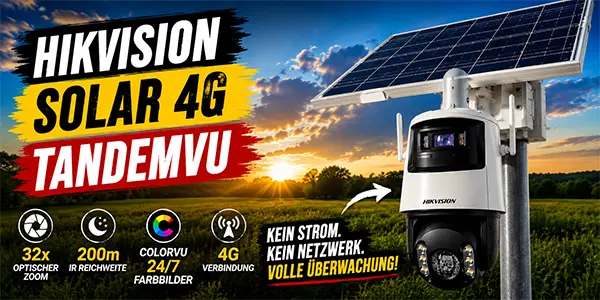
Hikvision Solar 4G TandemVu in Surveillance Camera Test 2026

HIKMICRO Thermal Camera Test: Surveillance Camera for Fire Services, Critical Infrastructure and Industry
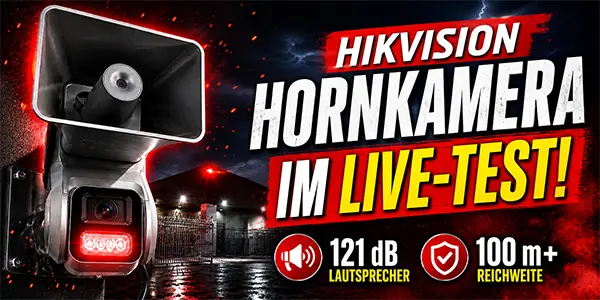
Hikvision DS-QACAM07G1-4LIZSU Surveillance Camera Test
Frequently Asked Questions (FAQ)
Does Hikvision support ONVIF?
All IP product series from Hikvision support the ONVIF protocol "Profile S".
Does Hikvision support RTSP?
How do I set up Hik-Connet?
As a certified Hikvision Diamond Partner, we provide Hikvision customers with a detailed description in German and English, consisting of written instructions and a video, here: https://www.germanprotect.com/blog/hik-connect-einrichten-einer-fernuberwachung-schritt-fur-schritt
What is the default password of a Hikvision NVR?
What is Hikvision intrusion detection?
Hikvision intrusion detection (intrusion detection function) detects people, vehicles or other objects that enter a preconfigured virtual area. The surveillance camera or video surveillance system can then, according to predefined rules, e.g. trigger an alarm or send a push notification via Hik-Connect to the operator's mobile device (cell phone/tablet) and notify them.
Does Hikvision also offer alarm systems?
Hikvision offers a good alarm system with the AX Pro series, which includes all the necessary components such as the control panel, detectors and more. You can find the AX Pro series here in our online shop.
Which app for Hikvision?
For remote access and live viewing with a smartphone or tablet, Hikvision offers the Hik-Connect APP and Hik-Connect Pro APP for Android and iOS operating systems free of charge in Google Play and the App Store. Help with setting up the APP is available from German Protect at https://www.germanprotect.com/blog/hik-connect-einrichten-einer-fernuberwachung-schritt-fur-schritt
Attention! Hikvision has not supported the IVMS 4500 since 2020, and it should no longer be used!
How good is Hikvision?
Test reports in professional video surveillance technology confirm that the Hikvision name stands for high quality, reliability and ease of use. If you are looking for a technically advanced and affordable surveillance camera, Hikvision is a good choice. Price-performance ratio and quality are consistent. Hikvision's broad product portfolio offers video surveillance solutions for everyone.
Why Hikvision?
Hikvision offers its customers technologically advanced surveillance technology characterized by high quality at a price-to-performance ratio that is unmatched by any other manufacturer. These technologies include AcuSense and ColorVu, as well as the latest Hikvision Pro series, which uses AI (artificial intelligence) to not only greatly reduce false alarms but also deliver an excellent surveillance image in all application areas. Hikvision surveillance cameras are a good and sustainable choice thanks to the wide range of products for private applications as well as commercial or government surveillance applications.
How do I set up a Hikvision surveillance camera?
With the help of the SADP tool from Hikvision, you can quickly set up a surveillance camera. You can download the SADP tool free of charge from the Hikvision homepage. Help with setting up a Hikvision IP camera is available from German Protect at: https://www.germanprotect.com/blog/ip-kamera-installieren-so-funktioniert-es-schritt-fur-schritt#kabel
How do I find a Hikvision surveillance camera on the network?
The most convenient way is to download the SADP Tool free of charge from the Hikvision homepage, install the software and use it to search for the surveillance camera on the network. With the SADP Tool, you can activate the camera, assign a new IP address and secure it with a password. You can find help with searching for the camera on the network using the SADP Tool at German Protect. under: https://www.germanprotect.com/blog/ip-kamera-installieren-so-funktioniert-es-schritt-fur-schritt#kabel All Hikvision IP devices can be configured with the SADP Tool.
What is the default IP address of your Hikvision camera?
The default IP address of Hikvision is: 192.168.1.64
For network video recorders, make sure they are set to DHCP at the factory. This way, the NVR is automatically assigned an IP address by the router.
What advantages does Hikvision offer?
The manufacturer Hikvision offers a comprehensive product range of components for video surveillance and security technology from A to Z, all from one source.
From surveillance cameras of various models and the associated recording devices to network components and alarm systems, the manufacturer Hikvision offers a solution-oriented product range that has shown consistency over the years, which most manufacturers on the market cannot match.
The sheer variety of surveillance cameras, whether analog HD or IP cameras of various designs, to efficiently cover every application area, sets it apart from many other manufacturers. In addition, through ongoing research, Hikvision provides countless product updates for new Hikvision cameras as well as software updates for the surveillance cameras in its portfolio every quarter. Technologies are constantly being further developed and thus made accessible to Hikvision customers as access to the latest technological achievements. In the interest of end customers, Hikvision also provides a large number of certified Hikvision partners in Germany and Europe, which ensures qualified support even after the purchase. For this reason, Hikvision always recommends buying Hikvision products from a certified Hikvision partner so that the quality standard can be maintained and the customer receives professional service. We at ESA GmbH German Protect have been awarded the highest partnership level as "Hikvision Diamond Partner" by Hikvision and therefore belong to the Europe-wide Hikvision network.