BUYING GUIDE
The keypad of an alarm system
In principle, the keypad (in the manner of a remote control, but with several functions) enables communication between the user and the alarm system. In contrast to a wireless remote control, a wired keypad offers more in-depth and versatile setting options, which are divided into basic and advanced functions.
Basic functions of the keypad of an alarm system
Among the basic functions, the keypad primarily enables active control such as armed/partially armed or disarmed setting of the alarm system. Basic functions also include status queries of the alarm system via the keypad, which answer many of the user's questions directly on the display, such as which zone is armed and which is disarmed, or why arming is currently not possible. Open windows or unlocked doors are shown as warning messages on the display before the alarm system is armed, so that the user is made aware of potential security risks. To be able to arm the alarm system in this state, the warning messages must either first be acknowledged on the keypad, or the windows and doors must be closed and locked. Although this function is found to be very annoying by many users of the alarm system, it makes a security-relevant contribution to the desired burglary protection.
Our tip! Tilted windows are always a welcome invitation for burglars to enter the property. Even if the alarm system reliably triggers an alarm during a break-in attempt and thus deters the burglar from their plan, the damage to the window frame still occurs. Many insurers consider such cases, caused by tilted windows, to be gross negligence and they are usually only partially settled or not settled at all. Therefore, this warning function on the keypad may be annoying, but it is entirely justified.
Advanced functions of the keypad of an alarm system
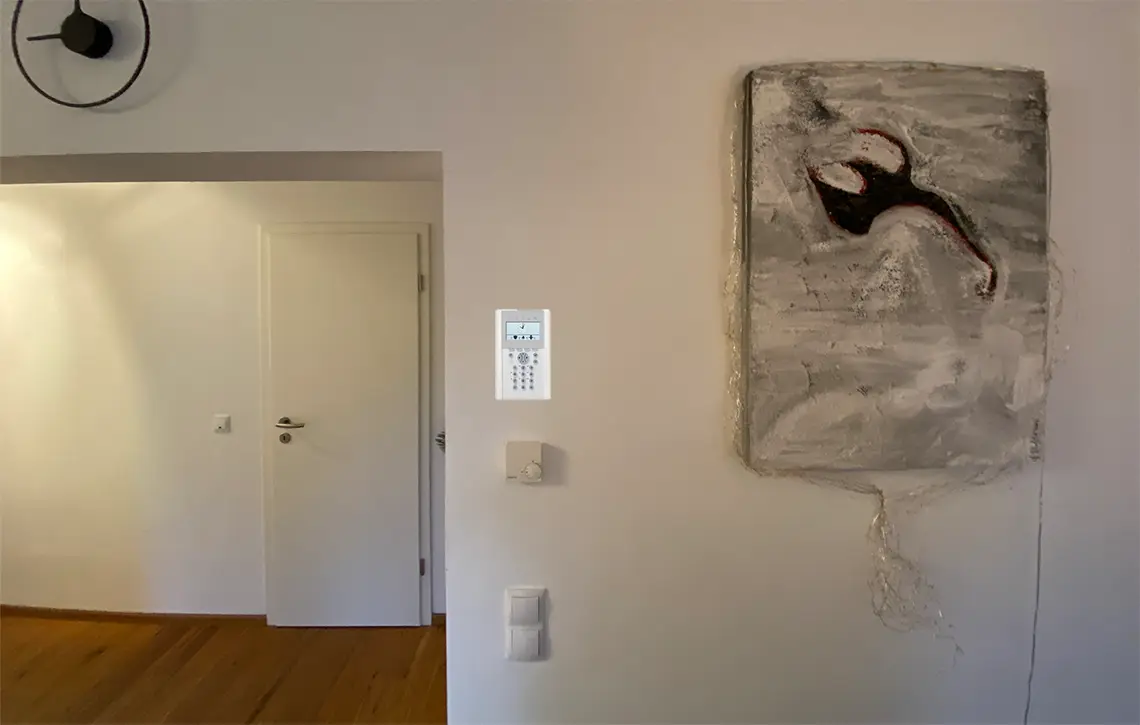 Using an advanced function, changes or reprogramming of the alarm system via the keypad are possible to optimize the alarm system for new conditions on site.
For example, necessary changes can be made to important basic functions of the alarm system, specifying to whom, how, and in what order the alarm notifications should be transmitted.
The integration of new alarm detectors into the alarm system via the keypad is also possible with the help of higher-level functions.
New alarm components such as an infrared motion detector or a smoke detector, for example, can be integrated directly into the alarm control panel via the keypad and configured for their respective tasks. The walk test function, which checks the individual alarm detectors for proper functionality, such as whether the motion detector actually covers the desired area, also belongs to the advanced functions of an alarm system.
The walk test function is one of the most important of all menu settings so that the alarm system operates reliably and in a security-relevant manner.
The keypad of an alarm system
In principle, the keypad (similar to a remote control, but with multiple functions) enables communication between the user and the alarm system. In contrast to a wireless remote control, a wired keypad offers deeper and more versatile setting options, which are divided into basic and advanced functions.
Basic functions of the keypad of an alarm system
Among the basic functions, the keypad primarily enables active control such as armed/partially armed or disarmed setting of the alarm system. Basic functions additionally include status queries of the alarm system via the keypad, which answer many of the operator's questions directly on the display, such as which zone is armed and which is disarmed, or why arming is currently not possible. Open windows or unlocked doors are shown as warning messages on the display before the alarm system is armed, so that the operator is made aware of potential security risks. To arm the alarm system in this state, the warning messages must either first be acknowledged on the keypad, or the windows and doors must be closed or locked. Although many alarm system operators find this function very annoying, it contributes significantly to the desired burglary protection.
Our tip! Tilted windows are always an open invitation for burglars to enter the property. Even if the alarm system reliably triggers an alarm during a break-in attempt and thus deters the burglar from their plan, the damage to the window frame still occurs in the end. Many insurers regard such cases, caused by tilted windows, as gross negligence, and they are mostly, only partially or not at all, covered. Therefore, this warning function on the keypad may be annoying, but it is entirely justified.
Advanced functions of the alarm system keypad for an alarm system
Using an advanced function, changes or new programming of the alarm system are possible via the keypad, in order to optimize the alarm system for new on-site conditions.
For example, necessary changes can be made to important basic functions of the alarm system, specifying who is alerted, how, and in what order the alarm is transmitted.
The integration of new alarm detectors into the alarm system via the keypad is also possible with the help of higher-level functions.
New alarm components such as an infrared motion detector or smoke detector, for example, can be integrated directly into the alarm control panel via the keypad and configured for their respective tasks. The walk test function, which checks each individual alarm detector for proper functionality, such as whether the motion detector actually covers the desired area, is also one of the advanced functions of an alarm system. The walk test function is one of the most important menu settings among all settings so that the alarm system works reliably and in a security-relevant manner.
Our tip! Correctly configuring alarm systems via the keypad using advanced functions requires in-depth expertise in intrusion detection technology.
The configuration options offered by the advanced functions alone are of little use in the end without precise knowledge of how a motion detector should be set.
Incorrect settings resulting from insufficient knowledge often lead either to a higher false alarm rate or to inefficient alarm triggering in the event of a break-in. Especially for wired alarm systems, we always recommend having a specialist partner at your side who not only plans, installs and configures the alarm system correctly, but also continues to look after it under a maintenance contract.
Installation Options for Keypads
To use a keypad efficiently with an alarm system, two options are offered by various manufacturers: The first option is to equip the alarm control panel with a keypad.
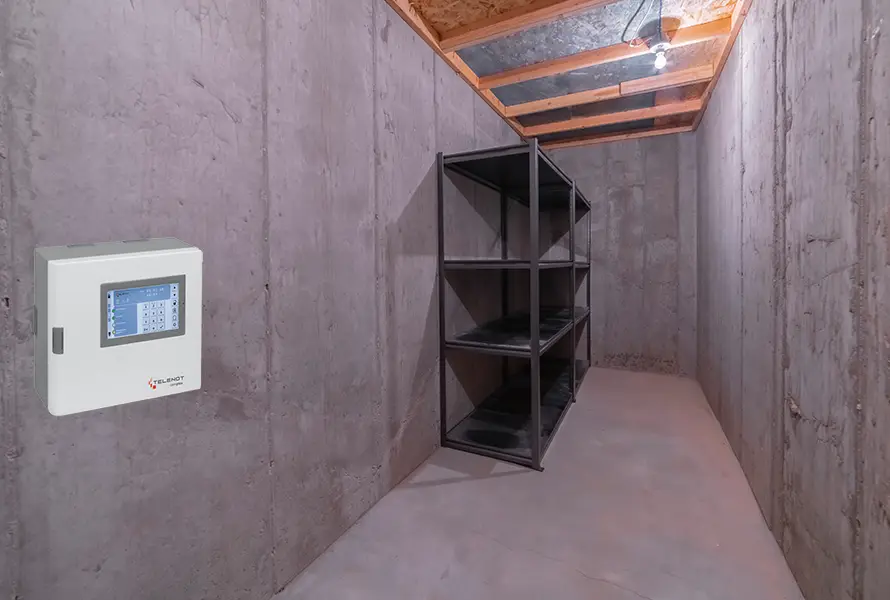
 Advantages: This saves installation costs.
Disadvantages: If the alarm control panel is installed in the basement, the keypad is not directly accessible.
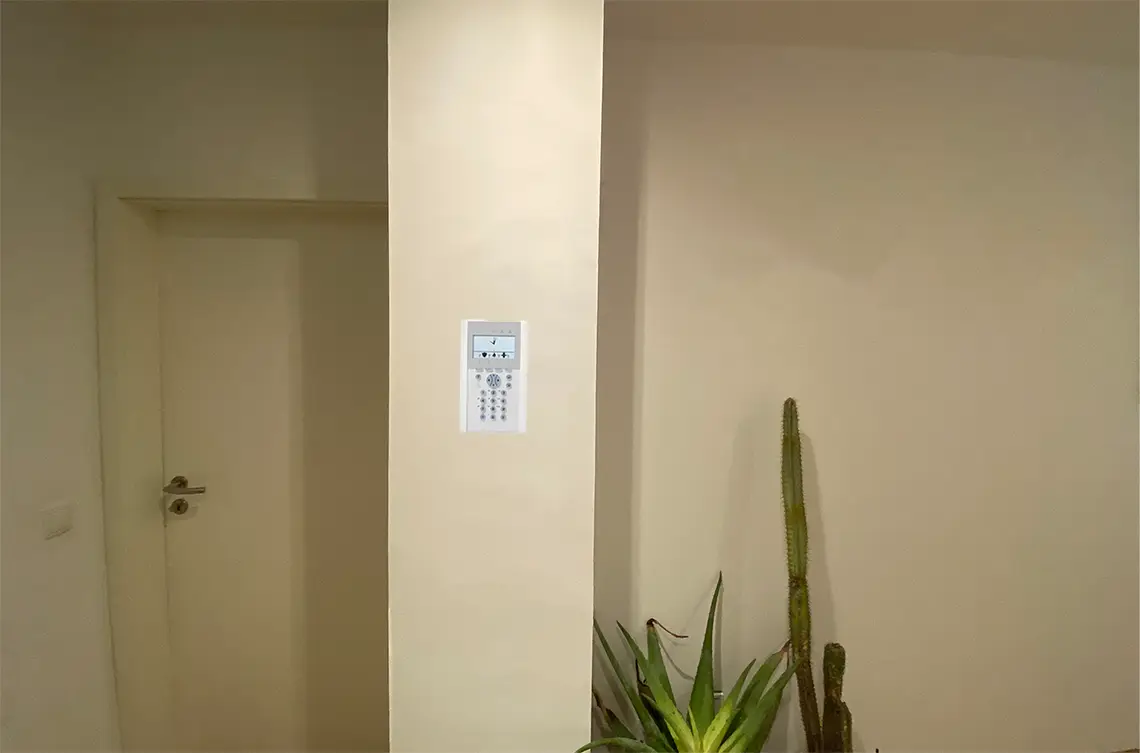
The second option for using a keypad efficiently is to mount it separately from the alarm control panel. For example, the alarm control panel is located in the basement, while the keypad is in the hallway leading to the bedrooms.
Advantages: If an alarm is triggered at night, the keypad is quickly accessible and the dangerous situation can be assessed immediately.
Disadvantages: Additional installation costs due to cable routing.
Our recommendation: To secure a multi-story family home not only efficiently but also in a user-friendly way, we recommend installing several keypads. The parents' bedroom as well as an immediately adjacent mounting location next to the entrance area should definitely be taken into account when planning the mounting locations of the keypads.
Advantages: This saves installation costs.
Disadvantages: If the alarm control panel is installed in the basement, the keypad is not immediately accessible.
The second option for using a keypad efficiently would be to mount it separately from the alarm control panel. For example, the alarm control panel is located in the basement, while the keypad is in the hallway leading to the bedrooms.
Advantages: If an alarm is triggered at night, the keypad is quickly accessible and the dangerous situation can be assessed immediately.
Disadvantages: Additional installation costs due to cable routing.
Our recommendation: To secure a multi-story family home not only efficiently but also in a user-friendly way, we recommend installing several keypads. The parents' bedroom as well as an immediately adjacent mounting location next to the entrance area should definitely be taken into account when planning the mounting locations of the keypads.
Popular Categories in Security Technology and Video Surveillance
Learn more about the author of this content:

Tobias Nabinger
Mr. Tobias Nabinger has been active in the field of security technology since 2001. Over his more than 20-year career, Mr. Nabinger has acquired practical expertise in the planning and installation of intrusion detection and video surveillance technology. Under his project management, ESA GmbH on behalf of German Protect successfully completed a large number of projects for public institutions and organizations as well as industrial corporations. This experience has been continuously deepened since 2011 through countless product and manufacturer certifications. A brief selection of his certifications: Telenot Specialist Installer and Support Point, planning and installation of intrusion alarm systems per VdS 2311 and VDE 0833, Q-Certified Specialist for Smoke Detectors per DIN 14676, Videofied Certified Partner, Risco Certified, Jablotron Certified Partner, Ajax Alarmsystems Specialist Installer, rayTec Professional Partner, SimonsVoss Partner, certified Axis Solutions Partner, IHK-certified specialist in video security technology, Hikvision Diamond Partner, Vivotek Expert, Hanwha Security Engineering, Mobotix Advanced Partner, Avigilon Partner, Sony Video Security Gold Partner, Flir Partner, Eneo System Integrator, Bosch Partner, Seetec Professional, Milestone Partner, Wave Professional, Aimetis Certified, etc.

