

Network Video Recorders
-
Product
range - Guide
GUIDE
Contents of the Network Video Recorder (NVR) Guide
- What Is an NVR Network Video Recorder (NVR)?
- Applications for a Network Video Recorder (NVR)
- Network Video Recorder (NVR) with PoE
- Network Video Recorder (NVR) without PoE
- Network Video Recorder (NVR) with PoE vs. without PoE: Advantages and Disadvantages Compared
- Programming and Access Options for a Network Video Recorder (NVR)
- Local Access to the Network Video Recorder (NVR)
- Remote Access to the Network Video Recorder (NVR) via Browser
- Mobile Remote Access to the Network Video Recorder (NVR) via an App
- Remote Access to the Network Video Recorder via a VMS (Video Management Software)
- Recording Options with a Network Video Recorder (NVR)
- Video Analytics with a Network Video Recorder (NVR)
- What Should I Look for When Buying a Network Video Recorder?
- Meaning of Important Technical Terms for a Network Video Recorder That You Should Understand Before Buying
Frequently Asked Questions from Our Customers (FAQ)
What does NVR stand for?
The term NVR stands for Network Video Recorder. NVRs are needed for recording and for controlling surveillance cameras, and they can be programmed and accessed over the network.
What is an ONVIF NVR?
Surveillance cameras from third-party manufacturers can be connected without any problems to an NVR that supports ONVIF (Open Network Video Interface Forum). Thanks to ONVIF, the control and alarm settings of the surveillance camera can also be handled via the NVR. However, special alarm settings, such as line crossing, depend on the ONVIF protocol type of the surveillance camera.
How does an NVR work?
An NVR connected to a network acts as a recording device and central control unit for one or more surveillance cameras on the same network. Depending on the model of the network video recorder, the surveillance cameras can be distributed across the network or connected directly to the NVR. The NVR can also supply power to the surveillance camera. To do this, the NVR must be equipped with PoE ports and have sufficient power budget. The NVR can display the live view of all surveillance cameras on one or more monitors. The recordings of one or more surveillance cameras can also be retrieved from the NVR and downloaded, for example, to a USB stick as evidence for the police. Settings such as recording times, alarm methods, alarm zones and analytics for each surveillance camera are managed through the NVR. With most manufacturers, remote access to the NVR via PC, smartphone or tablet can be set up with a free client software app.
What is a PoE NVR?
A PoE NVR is a network video recorder that can supply power to one or more surveillance cameras through its available PoE ports. The term PoE stands for Power over Ethernet, meaning power supply via network cable. Most NVRs can provide a power budget of up to 30 watts per port to power a surveillance camera. However, you should pay attention to the total PoE budget of the NVR when connecting several IP cameras that each require 30 watts (such as PTZ dome cameras). If the total PoE budget of the network video recorder is exceeded with only 5 of 8 PoE ports in use, three of the ports are disabled for PoE power. Network transmission is still possible through the ports that are disabled for PoE. An example calculation: The total power budget of the NVR is specified as 120 watts for 8 PoE ports. Four surveillance cameras, each requiring 30 watts, are connected to it. The remaining PoE power is therefore 0 watts for the remaining two PoE ports, and they are disabled by the NVR for power supply.
What is the difference between a DVR and an NVR?
A DVR is a digital video recorder that typically records footage from analog video sources such as TVI, AHD, CVI or Turbo HD, which has been digitized, to an HDD (hard drive). In the past, analog recordings were saved on a video recorder using VHS videotapes. Analog video sources are usually connected directly to the DVR via a BNC cable. Nowadays, various manufacturers also offer DVRs that allow one or more IP cameras to be integrated. This type of DVR is called a hybrid recorder. An NVR is a network video recorder that can record and manage only network surveillance cameras (IP cameras) on an HDD (hard drive).
WHAT IS A NETWORK VIDEO RECORDER (NVR)?
A network video recorder (NVR), also called a network recorder for short, is a recording device that records the video streams (images) sent by network surveillance cameras or Wi-Fi surveillance cameras on the same network as the NVR to one or more hard drives (HDD).
A network recorder can record the signals of various types of surveillance cameras, whether analog or HD surveillance cameras connected to the network via a media converter.
A network video recorder (NVR) usually acts as the central unit of video surveillance. It is used not only to view the live images from the surveillance cameras, but also to control the cameras.
Network video recorders have their own operating system, which controls all functions and provides the user interface for the user or administrator. As a rule, a mouse and keyboard can be connected directly to the network video recorder for this purpose. In addition, users can connect to the network video recorder from their computer over the network.
A graphical user interface allows intuitive operation and configuration of the NVR. The storage and the recording archive can also be managed this way.
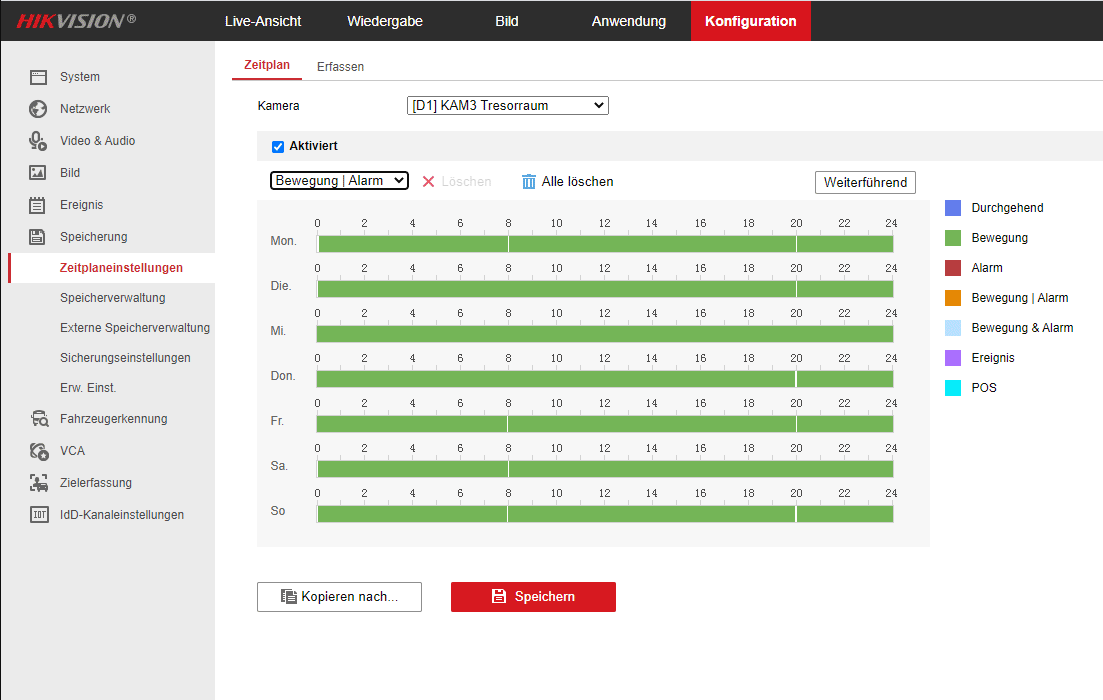
For every surveillance camera in the system, individual recording settings, such as recording schedules or motion activation, can be set up in the NVR's programming.
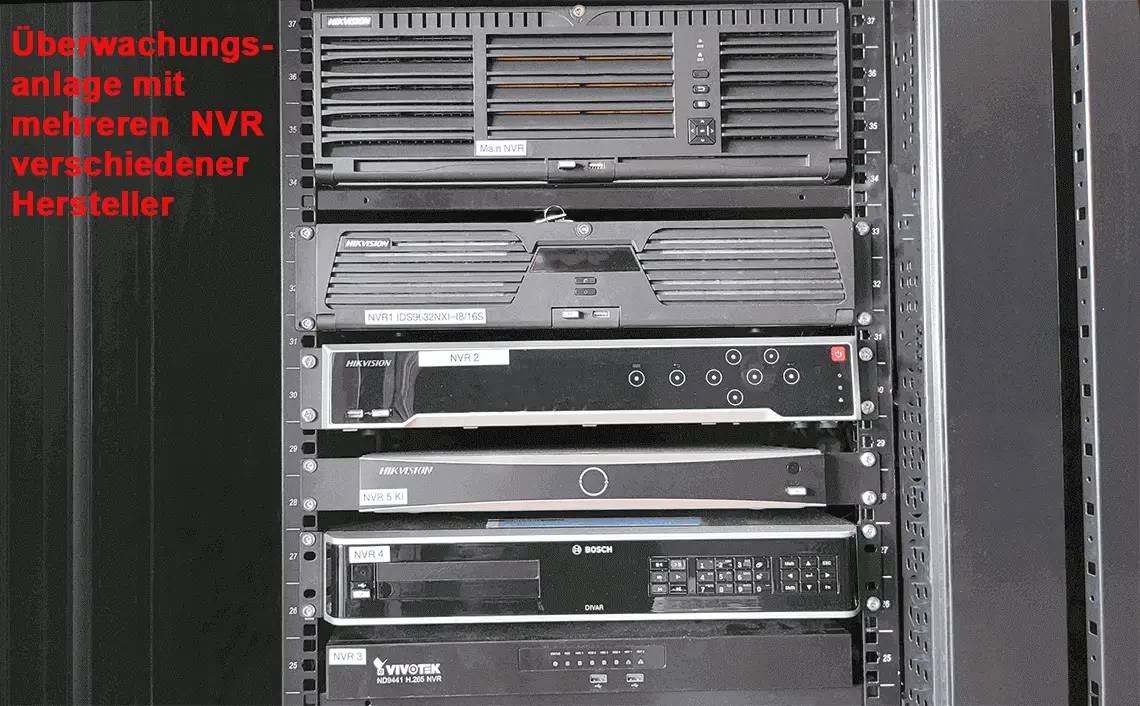
Areas of Application for a Network Video Recorder (NVR)
Network video recorders are used predominantly in video surveillance for recording, live image display and control of surveillance cameras in private, commercial and public areas where surveillance is necessary.
Network video recorders can also be used in mobile video surveillance, for example in buses and trains, to protect against vandalism and for passenger safety. Such NVRs are specially protected against vibration according to EN50155.
A network video recorder can also be connected to an alarm system or a fire alarm system. In addition to the alert triggered by the motion detector or smoke detector, it thus provides a visual representation of the situation on site.
What Types of Network Video Recorders Are There?
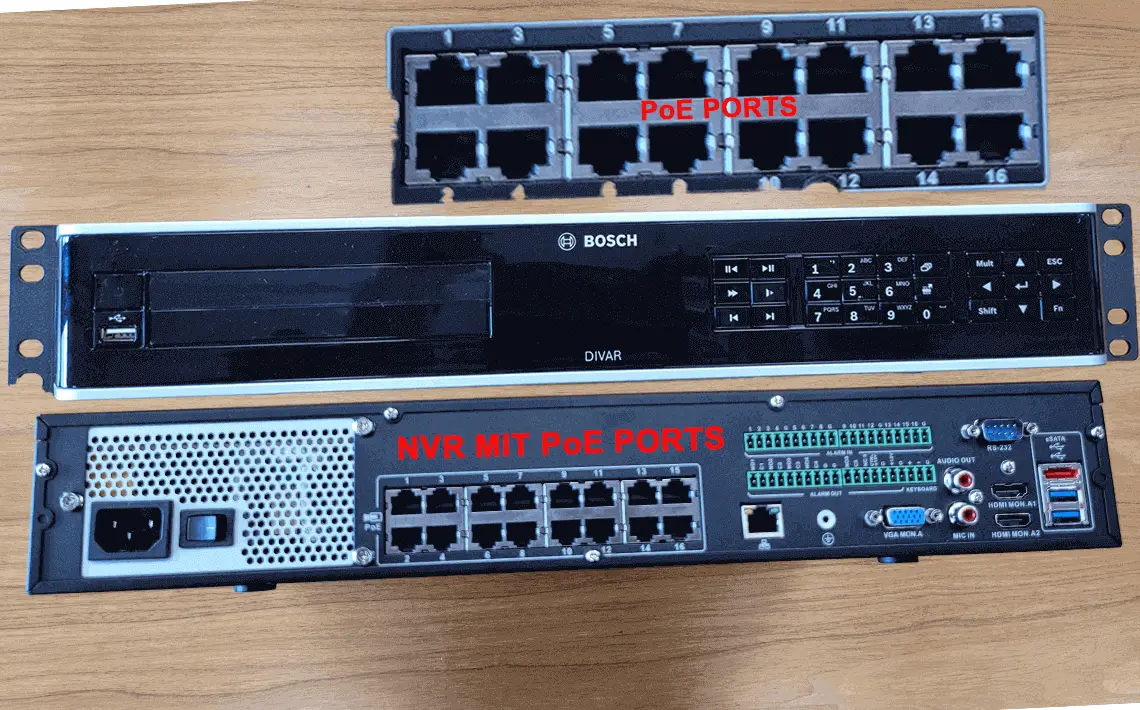
Network Video Recorders with PoE
Network video recorders with and without PoE (Power over Ethernet) are available from various manufacturers. In general, network video recorders (NVRs) equipped with PoE provide a power budget of up to 15 watts per port. Depending on price and manufacturer, a power supply of up to 30 watts per port is possible. However, the PoE ports are pooled by the NVR. It is therefore important to check how large the total PoE budget of the NVR is. This information can be found in the manufacturer's respective data sheet.
A calculation example based on the manufacturer's specifications:
With a 16-channel NVR with a 250-watt PoE budget and up to 30 watts per channel, a maximum of 15.4 watts per camera is available to power the cameras when connecting 16 surveillance cameras.
Even when you connect a surveillance camera with a higher power requirement, such as a PTZ 360° dome camera, the NVR prioritizes it by bundling two PoE ports. Another surveillance camera connected to the second port can then no longer be powered.
The data from the camera connected to this port can still be processed, however. To do so, the camera in question must be powered in another way, for example via a PoE injector. Please note: Many network video recorders with PoE cannot deliver power to the surveillance camera over the maximum distance of up to 90 meters. Often the maximum power supply distance is only between 30 and 60 meters. Please therefore refer to the respective manufacturer data sheet, and get advice before you buy.
Our tip: We usually recommend network video recorders with PoE power supply only for smaller surveillance systems that use the same surveillance camera models. Thanks to the NVR's built-in PoE ports, many PoE injectors can be saved during installation, which makes the setup easier.
For more complex surveillance systems with different surveillance camera models, such as PTZ 360° dome cameras or cameras with heaters, we recommend using PoE injectors or a suitable switch.
Network Video Recorders (NVR) without PoE
An NVR without PoE cannot power the connected surveillance cameras through its ports. Such NVRs are mostly used in surveillance systems in which each camera is powered by DC (direct current) from a power outlet.
As a rule, network video recorders without PoE do not have camera ports, but one or more network ports, through which the NVR can be connected to a network and any surveillance cameras that can be found within the network can be integrated. This type of network video recorder combined with a switch is mostly used in professional video surveillance.
Our tip: To implement more complex video surveillance systems efficiently, we generally recommend NVRs with a network connection only and no camera ports of any kind. This multiplies the reliability and, above all, the flexibility of the surveillance system.
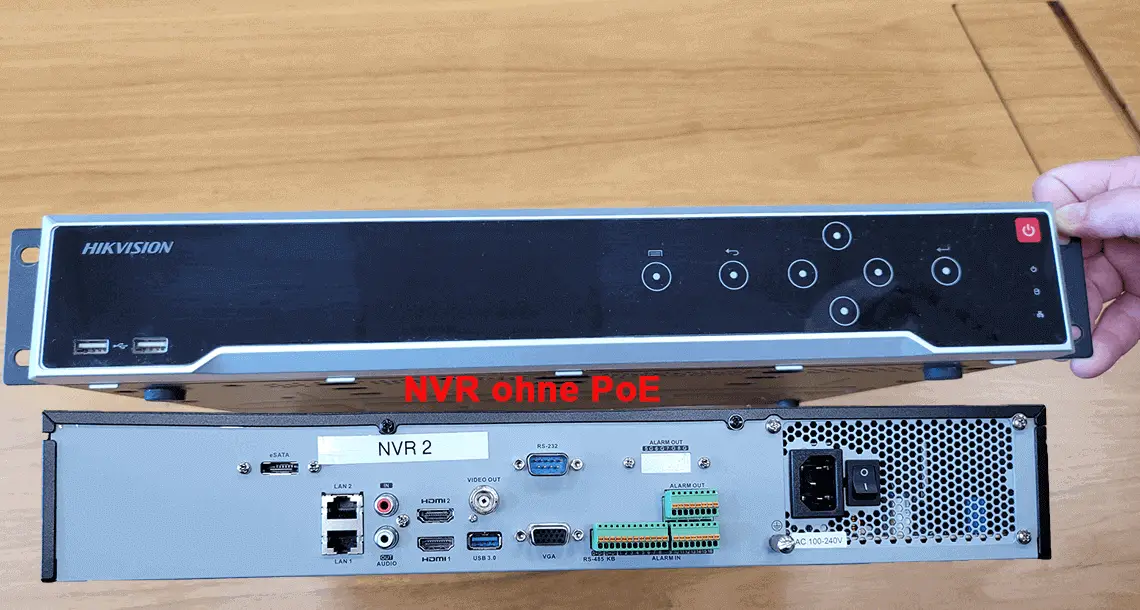
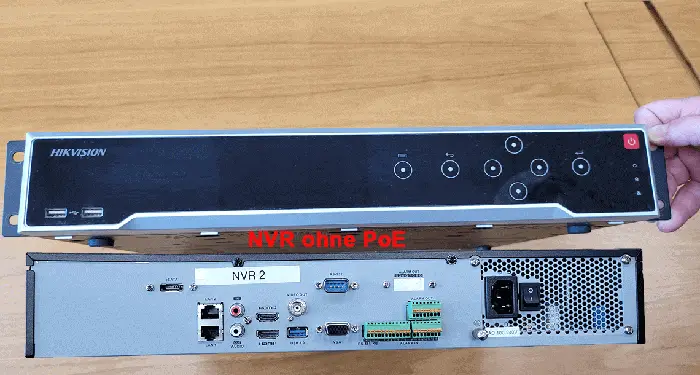
Network video recorders with and without PoE: advantages and disadvantages compared
Network video recorders with PoE have the advantage over NVRs without PoE that surveillance cameras are easier to connect. However, they also cost more to purchase.
In general, PoE-based network video recorders are more prone to failure, because they not only have to process the data from the surveillance cameras but also have to take care of supplying them with power.
In professional video surveillance, the rule is that it is generally better to separate the power supply of the surveillance cameras from the recorder by using a switch.
A network video recorder without PoE is less expensive to purchase than an NVR with PoE, but the need to buy a switch evens out the costs.
The biggest advantage of a network video recorder without PoE is greater flexibility within the network and more stable operation.
Conclusion: For larger video surveillance systems with eight or more surveillance cameras, network video recorders without PoE are considerably more efficient and longer-lasting. For smaller video surveillance systems in which surveillance cameras of the same type are mounted not far from the NVR, a network video recorder with PoE is a convenient alternative for setting up a video surveillance system.
Programming and access options for a network video recorder (NVR)
A network video recorder is connected directly to the LAN via its network port and is thus able to detect the surveillance cameras on the network, provided they are ONVIF compatible (Open Network Video Interface Forum).
Some NVRs that are system-bound (they can only manage their own system cameras) are equipped with automatic camera installation (plug and play) and automatically integrate the cameras connected to the NVR. This allows a camera image to be displayed on the monitor immediately.
IP cameras connected to the network wirelessly via Wi-Fi can also be used with a network video recorder without any problems.
Network video recorders offer users various access options:
- Local access
- Remote access via browser
- Remote access via app
- Remote access via video management software
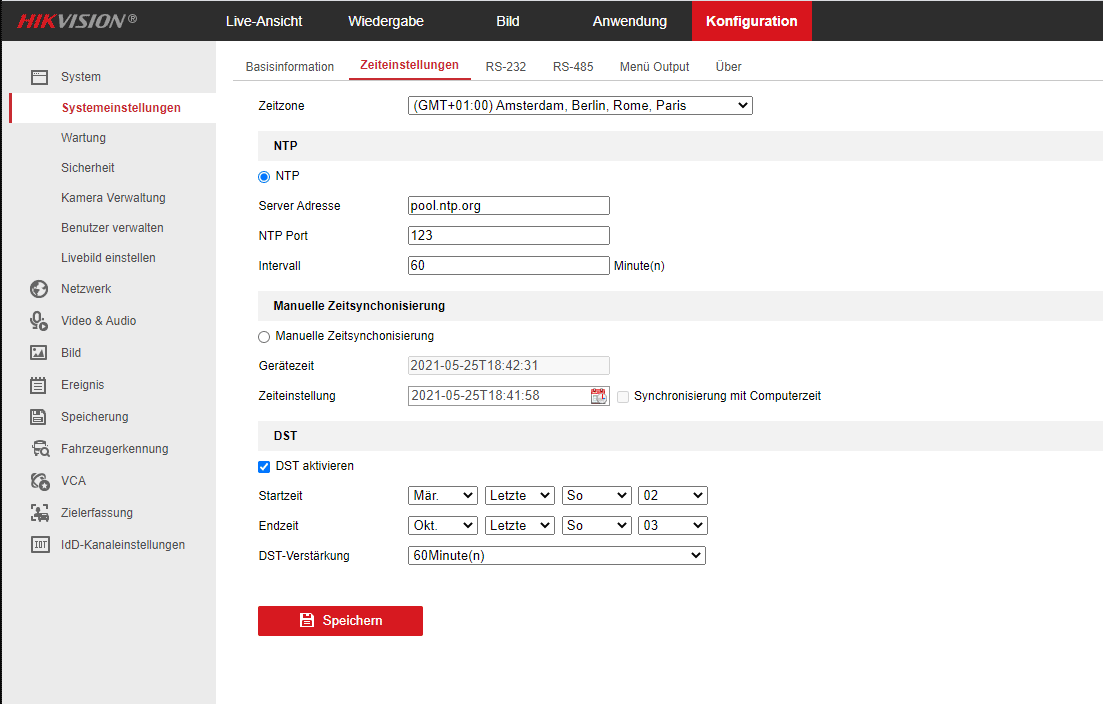
Local access to the network video recorder
For direct display of live or recorded images, modern network video recorders are equipped with one or two HDMI outputs. The first HDMI output is provided for the main image display on the main monitor and achieves a resolution of 4K UHD. The second HDMI output, the so-called spot monitor, usually has a resolution of 2 megapixels (Full HD) and is used only as a pure image display option for all cameras.
The NVR cannot be controlled via the spot monitor. With the HDMI output for the main monitor, everything is possible, from the single view of one surveillance camera to a multi-view display, also called multiplex display, with up to 64 cameras simultaneously.
All settings and controls of the NVR are possible via local access. With most NVRs, depending on the type of recorder, playback of recordings from up to four cameras simultaneously can be displayed via local access. Unfortunately, programming an IP camera via the NVR is often not possible at all, or only to a limited extent, despite ONVIF capability.
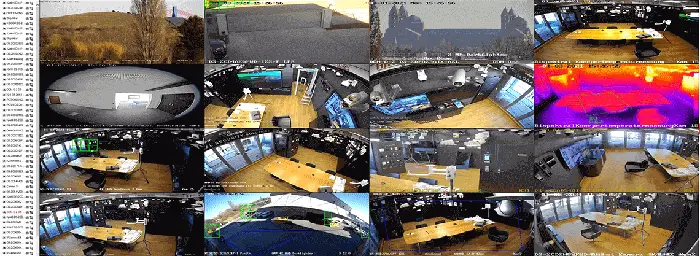
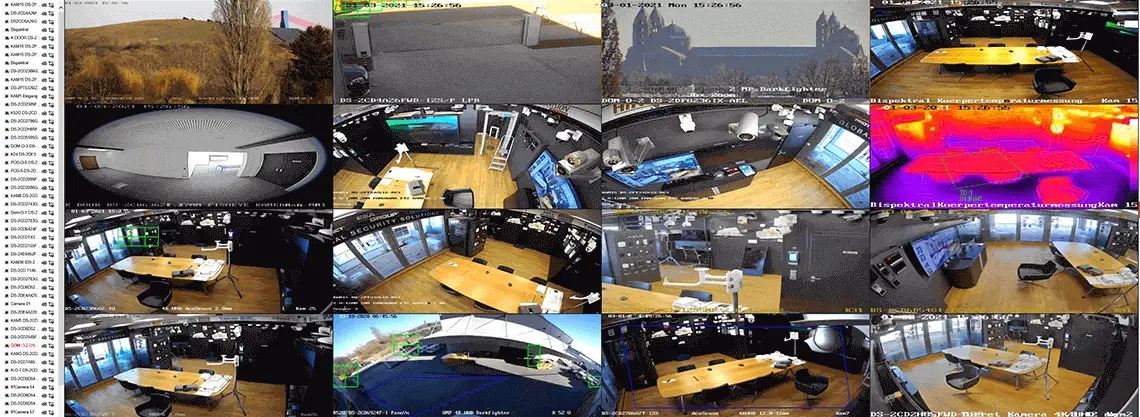
Remote access to the network video recorder via browser
In principle, accessing the NVR via browser offers the same options as local access. However, a few factors need to be taken into account. These include, for example, the type of browser and operating system. Depending on the security configuration, the operating system should be run as administrator in order to load the plug-ins required for image display. The advantage of access via browser is that it enables worldwide access to the entire video surveillance system via the NVR, regardless of location.
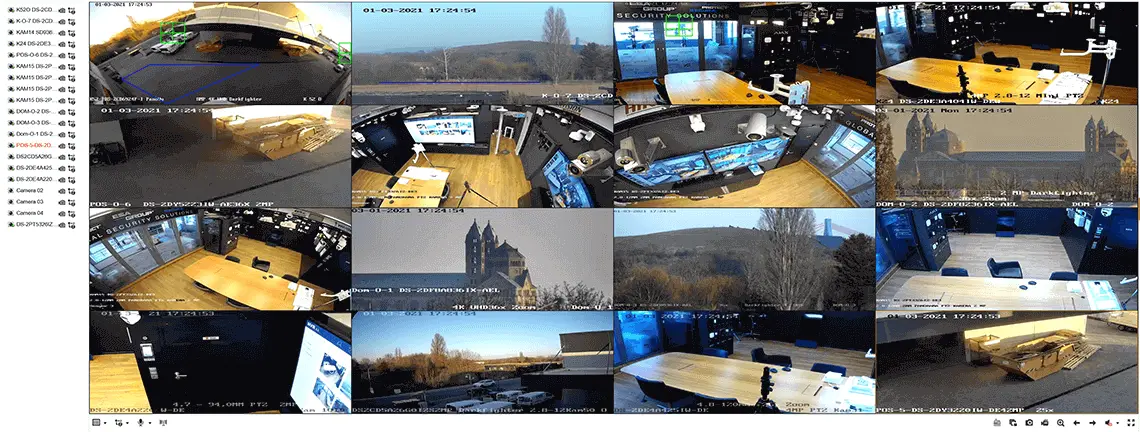
Mobile remote access to the network video recorder via app
All reputable manufacturers offer apps for mobile access to one or more NVRs. This allows the devices to be controlled via smartphone, tablet or other mobile devices. Depending on the operating system (whether Android or iOS), the required apps are available for download from either the Google Play Store or the iTunes Store.
To achieve the full functionality of the system, you should use the manufacturer's matching app. We advise against using generic video surveillance apps that were not developed specifically for a particular system.
The setup of mobile access via an app is usually quite simple and intuitive. In certain cases, however, a basic technical understanding may be necessary.
A useful feature of remote access via app is push notifications, which, depending on your settings, alert you audibly and visually on your phone when the video surveillance system triggers an alarm. With remote access via app, most manufacturers allow you to view not only live images but also recordings. The quality of the video stream provided often depends on the upload speed at the location of the NVR, as well as on the download speed of the network at the place where the data is retrieved.
A drawback of retrieving video data via app can be the location of the respective cloud-based retrieval service. Such services are often located abroad. It is therefore important to pay attention to which app is used, and where and by whom the required service is hosted.
In the apps of reputable manufacturers, the services and the location of the cloud are always disclosed. We recommend using only apps whose services are hosted in the EU or Germany. After all, nobody wants to make their video data visible to unauthorized persons on the internet.
It is worth knowing that in some cases, such as commercial video surveillance, remote access via an app may, depending on the settings of the surveillance cameras, not be GDPR-compliant .
Remote access to the network video recorder via a VMS (Video Management Software)
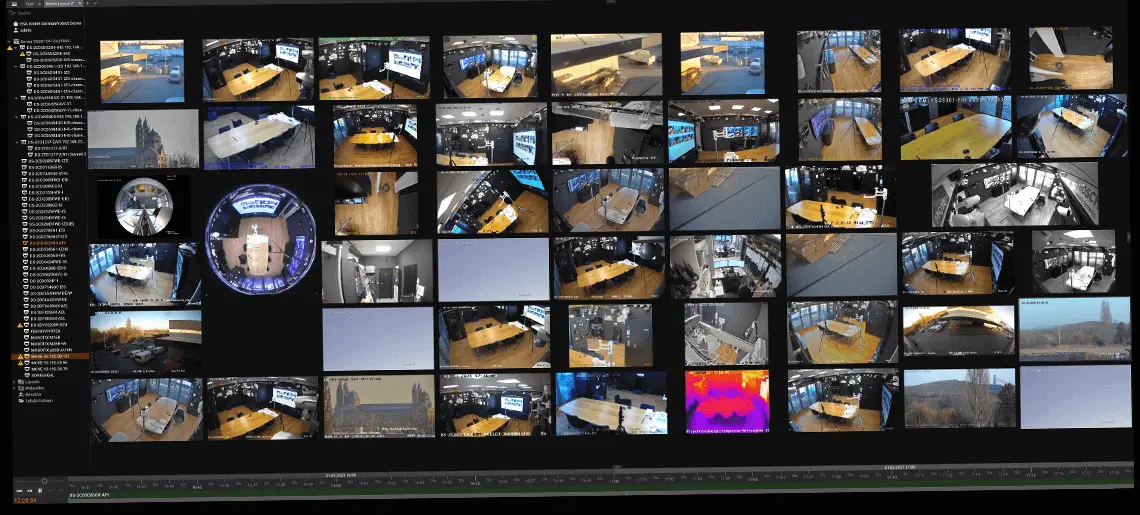
A VMS (Video Management Software) enables remote access to one or more NVRs regardless of their location. The advantage of remote access via a VMS is the ability to display live images from multiple NVRs and their surveillance cameras simultaneously on one or more monitors (video wall).
In professional video surveillance, integrating multiple NVRs located at different sites via a VMS is an efficient way to implement a multi-site video surveillance solution, for example for an emergency dispatch center.
Recording Options with a Network Video Recorder (NVR)
A network video recorder uses one or more hard drives to record video footage. Depending on the type of NVR and the number of hard drive interfaces (SATA interfaces), the storage capacity can range from 1 terabyte up to 12 terabytes per hard drive interface.
To make the best possible use of the available disk space, all modern NVRs support various compression methods such as H265 or H265+. Depending on the camera resolution, recording quality, motion in the image and compression method, this often makes it possible to record and archive many hundreds of hours of video footage.
The storage space provided by the hard drives (HDD) is inexpensive and can be expanded almost without limit if needed. Handling the hard drives and backing up the data to additional external media is also straightforward. Because the data is stored in a structured, digital form, even large archives are easy to manage. The recordings you are looking for can be found within seconds and played back or analyzed directly.
For additional data backup on an external medium, network video recorders also feature interfaces that allow you to connect one or more NAS devices (mass storage devices) as additional external storage media. With all established manufacturers, recording and deletion times can be set individually for each channel and surveillance camera.
Video Analytics with a Network Video Recorder
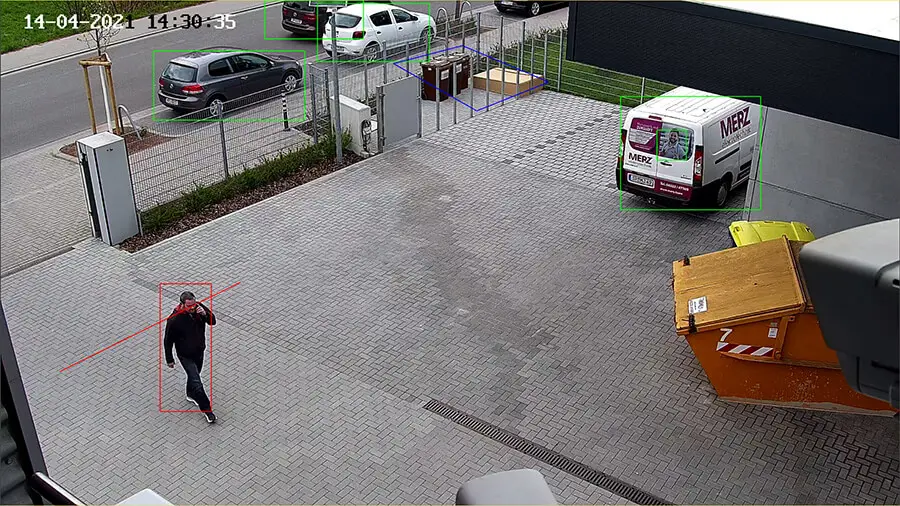
Today, modern network video recorders from reputable manufacturers are equipped with advanced AI (artificial intelligence) based video analytics functions. Starting with license plate recognition and classification, all the way to face identification and people tracking, NVRs can process multiple analysis tasks with precision and thus considerably increase the effectiveness of the video surveillance system.
Existing surveillance cameras in the system that have no intelligence of their own are greatly enhanced in their surveillance tasks thanks to an intelligent NVR. The surveillance cameras, as the eyes of the video surveillance system, deliver the images, while the network video recorder analyzes them and decides on possible actions, such as triggering an alarm. This reduces the rate of false alarms for the entire video surveillance system to a minimum.
Thanks to an intelligent network video recorder, a video surveillance system can be assigned multiple tasks, such as monitoring as well as protective functions, for example opening doors and barriers or detecting unauthorized persons on the premises.

What should you look for when buying a network video recorder?
Choosing the right network video recorder depends on how many surveillance cameras are to be connected and what resolution the cameras have. The number of cameras that can be connected to a network video recorder also depends on the camera type. For example, it makes a big difference whether a bullet camera, a panoramic camera, or a multidirectional surveillance camera is connected.
A multidirectional surveillance camera with four image sensors (lenses) occupies four channels on a network video recorder. This means that of the 16 available channels on the NVR, a single surveillance camera already takes up a quarter. The same rules apply to a panoramic surveillance camera , with the difference that, depending on the resolution, the panoramic image allows the camera to generate very large frames (jumbo frames) of up to 9000 bytes.
Because standard frames reach a maximum size of 1500 bytes, the NVR must be capable of processing jumbo frames. If a PTZ DOME 360° is also connected, which can generate a variable amount of data depending on the task, such as tracking, you must make sure that the NVR can handle the incoming amount of data (incoming bandwidth), measured in megabits per second (Mbps).
If an NVR has 16 channels and 16 surveillance cameras are connected, the NVR's maximum incoming bandwidth may be too low to process the data from all cameras.


Buying guide: meaning of important technical terms related to network video recorders
Incoming bandwidth: This describes how large the incoming data volume is that an NVR can process. It is specified in megabits per second (Mbps).
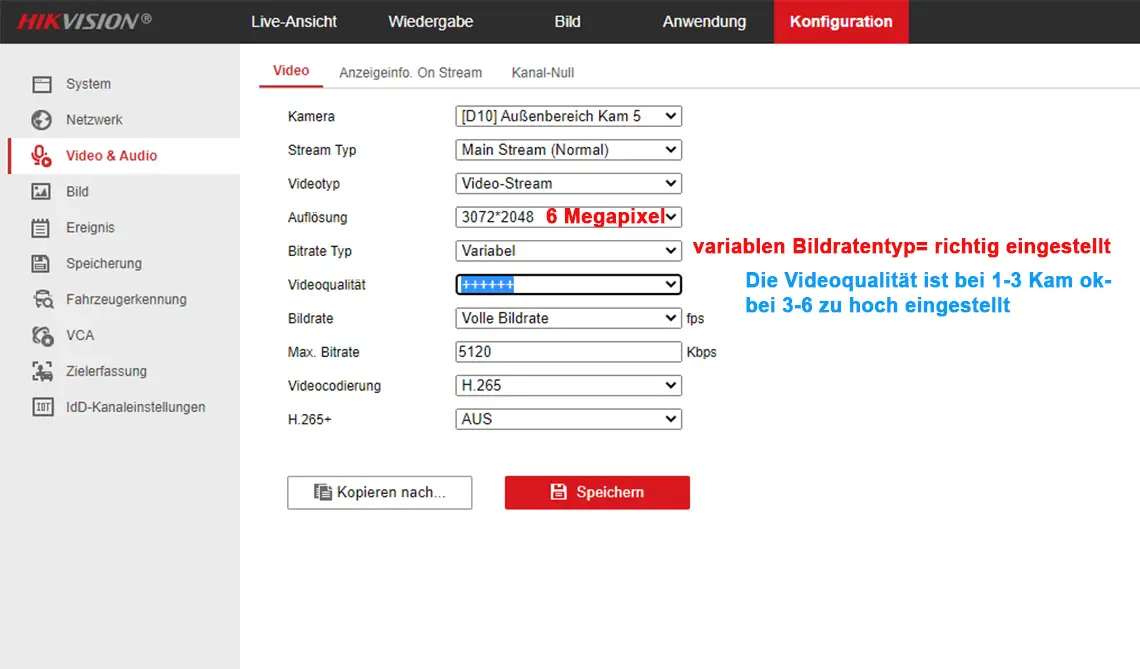
A tip from us: There is not much point in choosing variable data transmission and the highest resolution at the same time in the settings of a surveillance camera. Because an NVR can only process a limited amount of data, the camera settings should be chosen according to priority: set them to "variable" and one to two levels below the best quality.
Surveillance cameras that have a high priority in the video surveillance system, such as cameras for parking lot monitoring, can certainly be programmed to the highest image quality. In return, the camera in the basement, which does not have to deliver the best quality all the time, can be set to the medium level.
Outgoing Bandwidth: This describes the amount of data the NVR can provide for remote access, for example via a VMS (video management software). The outgoing bandwidth is also specified in Mbps. It determines the number of simultaneous remote accesses possible.
Recording Resolution: This value indicates the resolutions in which the NVR can record. Examples are 12 MP/8 MP/6 MP/5 MP/4 MP/3 MP/1080p/UXGA/720p/VGA/4CIF/DCIF/ 2CIF/CIF/QCIF.
IP Video Input: Describes the maximum resolution per channel up to which the NVR can be equipped with a surveillance camera.
Capability: This value represents the NVR's ability to display simultaneous images at a specific resolution. An example for a 16-channel NVR: 4-ch in 4K UHD, or 16-ch in 1080p.
PoE Interface: This specification is important if you want to power the surveillance cameras via the NVR. Example: the total power of the PoE ports on a particular NVR is 200 watts, and the maximum power provided per port according to IEEE 802.3 af/at is either 15.4 or 30 watts. The designation af stands for a maximum power of up to 15.4 watts and at for up to 30 watts.
Important to note: If a network video recorder has, for example, 16 channels and a total PoE power of 200 watts, it can only supply power to a maximum of 6 channels at 30 watts (at) each.
Conclusion: To choose the right network video recorder, the decisive factors are above all the number and desired resolution of the surveillance cameras required, the camera types, and the storage space needed.
The network video recorder should be sized so that it can still be used if the surveillance system is expanded with a higher resolution or additional cameras, rather than having to be replaced. Depending on the application, you should also make sure that the storage capacity can be expanded flexibly.
The advantages of a network video recorder (NVR) lie in its flexibility, its ease of use, and the fact that it can be fully integrated into an existing network. This means the surveillance technology can be installed with little effort and is ready for use quickly.
Because you can access the network video recorder from any network-enabled device, administration and use of the devices are especially flexible.
Discover the wide selection of network video recorders (NVRs) in our online shop and find the right solution for your surveillance system. Our technicians will be happy to provide you with detailed advice.