

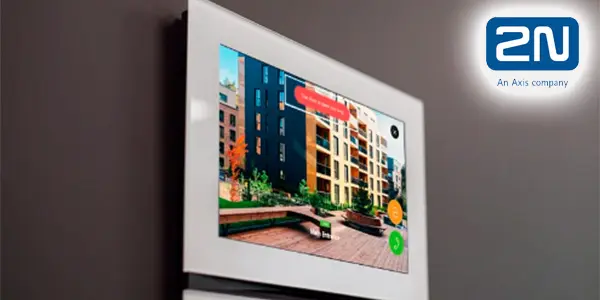
Current indoor intercoms from 2N Telecommunications now display the status of the door contact connected to the door intercom . This allows the user to see on the display of their indoor intercom whether a door is open, closed, or has been forced open.
Current door intercoms from manufacturer 2N Telecommunications that are equipped with the 2N OS operating system version 2.37 or higher now provide real-time information about the status of the door contact. To do this, the indoor intercom communicates with the door intercom and shows the door contact data on its display. There are three different states:
- Open / closed door: The user can see whether the visitor has opened the door and whether it has been properly closed again.
- Door held open too long: If, for example, someone forgets to close the door properly, or the door is deliberately left open, the system detects this. Such a situation is dangerous because it enables unauthorized access to a secured area.
- Doors forced open: If a door is forced open, for example by kicking it in, this is also detected and reported by the system. This allows a fast response to dangerous situations.
An open door is reported on the display by a red symbol and a text message. This allows the resident to respond, either by closing the door themselves or by informing responsible persons such as the security service or the reception desk.
Responsible persons can be notified automatically, for example by email. The door intercom can also be configured to play a previously recorded message in certain situations, for example to ask that a door left open too long be closed. If a door is forced open, a recorded message can also announce that the security service has been alerted.
Simple Installation of Door Contacts
Setting up this solution is very easy. All that is required is to add a door contact to the door intercom and the indoor intercom. For the solution to work, both the door intercom and the indoor intercom must be equipped with the 2N OS operating system version 2.37 or higher. In addition, the door intercom and indoor intercom must be connected to the same LAN.
The following steps are required for setup:
- The door contact must be connected to the input of the door intercom, for example to "Input 1"
- In the system, under "Hardware/Doors/Door sensor/Door opening sensor", select the input in the "Assigned input" area that was connected to the door contact.
- Check the checkboxes "Detect unauthorized door opening" and / or "Detect door held open too long". The indoor intercom then automatically displays the current door status. This function does not need to be specifically activated in the settings.
Greater Security with Indoor Intercoms
In principle, indoor intercoms significantly increase the security of facilities such as residential buildings and offices, as well as of their residents and the people working there. External cameras contribute to this. The resident can then choose to view a visitor either with the camera of the door intercom or with an external camera from a different angle. This way, the resident can also determine whether someone is still near the door who is outside the field of view of the door intercom.
With video surveillance , residents can view live feeds from up to 16 IP cameras on the 2N Indoor View indoor intercom. This is possible even when the cameras are not connected to the door intercom.
Depending on the setting, the 2N Indoor View automatically records one, three, or five images per call and adds them to the call recording. During a call, the resident can also add more images. This is possible by tapping the camera button in the lower left corner of the indoor intercom display.
Do you have questions about indoor and door intercoms from 2N Telecommunications? Then feel free to contact us. Our security experts at German Protect look forward to hearing from you.


