

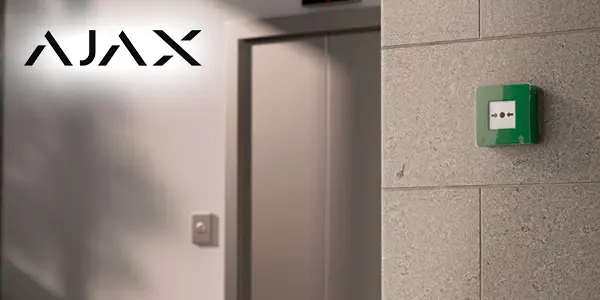
Ajax Systems is pleased to announce the launch of its new products. Three new models of the ManualCallPoint (panic button / home alarm) have been developed. They are designed to trigger preprogrammed automation scenarios and, with just one press of a button, activate a fire alarm, for example. In potentially life-threatening situations, these scenarios can unlock electric locks, switch off certain devices, activate ventilation and inform people about the need to evacuate.
In this new version, the ManualCallPoint alarm button product line has been divided into two subgroups in order to better define the different applications and purposes. The red alarm button (ManualCallPoint Rot Jeweler) is a push button that triggers the fire alarm when pressed and meets the EN 54-11 standard. It is specifically intended for installation in residential buildings. The blue versions, on the other hand, have been replaced by manual call points in yellow, green and white, forming a group of programmable, resettable buttons that can be used individually in any facility to activate scenarios.
The main difference between the subgroups lies in their default functionality: the red version triggers the fire alarm, while the other versions activate automation scenarios. However, all button versions offer the same functionality and can be reconfigured via the Ajax apps.
The Jeweler ManualCallPoint in Detail
In scenario trigger mode, the ManualCallPoint performs simple tasks such as opening an electric lock or switching off a device, and also orchestrates complex chains of actions with dozens of relays, smart sockets and switches. The configuration of automation scenarios is managed in the Ajax apps, which is simple and intuitive.
In fire alarm mode, pressing the ManualCallPoint activates the built-in sirens of all fire detectors in the system. In addition, the button can also be used to activate intrusion sirens. An alarm is sent immediately to users and the central monitoring station (CMS).
The button does not require regular manual testing: a self-test system automatically reports the device status to the hub. After activation, the button must be unlocked manually with the key included in the complete set.


