

To properly mount a surveillance camera, we recommend the following accessories:
1. Required accessories for mounting a surveillance camera
When mounting a surveillance camera for outdoor use, a mounting box (see Figure 1) must always be used to ensure the longevity and functionality of the camera.
This recommendation also applies if the surveillance camera is mounted under a roof overhang and is supposedly protected from direct rainwater.
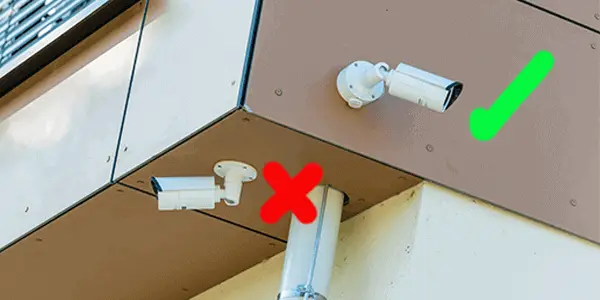
The moisture that forms during rainfall can lead to condensation inside the surveillance camera, causing the lens to fog up and ultimately resulting in failure of the outdoor camera.
If the surveillance camera is mounted for indoor use, a mounting box is not necessarily required, except for aesthetic reasons, to accommodate the camera cables inside the box.
2. Required components for the power supply of a surveillance camera
If the surveillance camera is an IP camera, a PoE injector is required for power supply via PoE (Power over Ethernet) (see Figure 2).
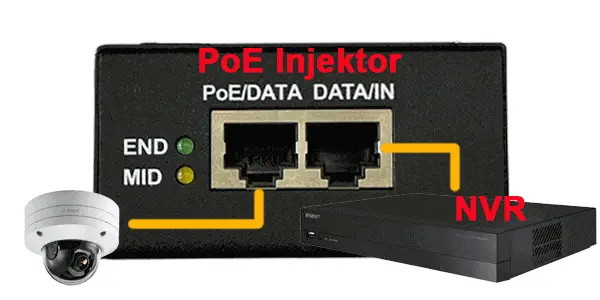
Important note! IP cameras may require different power consumption/input voltage depending on their design (dome camera, bullet camera, PTZ camera). You can find more information about the various PoE injectors here.
If multiple IP cameras are mounted, we recommend using a PoE switch (see Figure 3) for cost reasons.
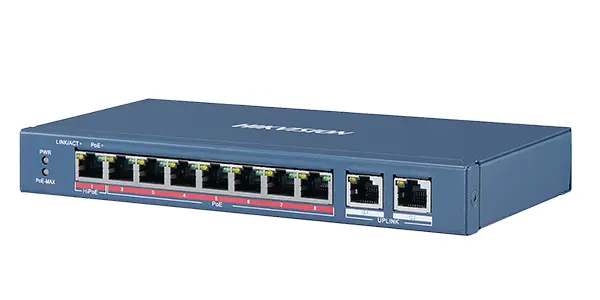
Important note! Not all switches are equipped with PoE (Power over Ethernet). Depending on the number of IP cameras connected to the PoE switch, make sure the PoE switch has sufficient total power (PoE budget).
Also note that PoE power can generally only be delivered over network cable up to a maximum of 95 meters. For transmission distances beyond 95 meters, a PoE switch with PoE Extended Mode capability is required.
If the surveillance camera is a WLAN camera, it requires a power supply (see Figure 4) in close proximity to the mounting location for power.
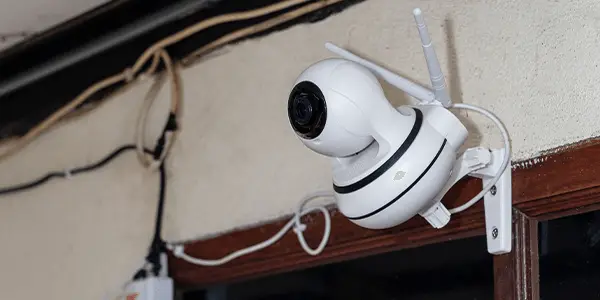
Important note! WLAN cameras, even if they have a network port, are only rarely PoE-capable.
If the mounting involves an analog camera or analog HD camera (CVI, SDI, AHD, TVI), a power supply is always required.
3. Required components for image transmission of a surveillance camera
To ensure image and audio transmission of an IP camera, an RJ45 network cable, also called a CAT cable or patch cable, is required (see Figure 5).
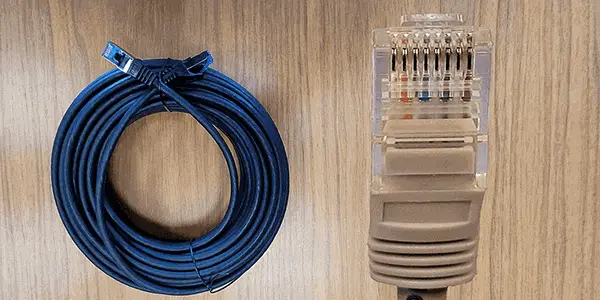
We recommend using network cables of category CAT6 or CAT7.
For installation in outdoor use, only outdoor cable should be used. As a general rule, we recommend that beginners use a router so that an internal network for video surveillance can be set up easily.
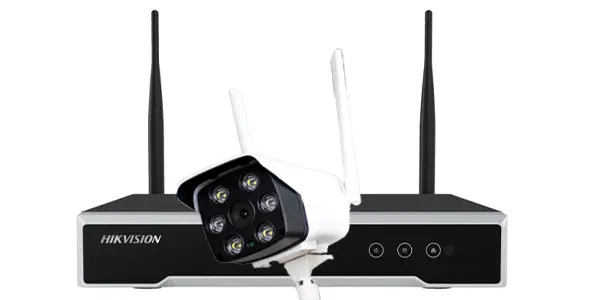
To access live images or video recordings from the surveillance camera outside the network via mobile devices such as a smartphone or tablet, a router and an internet connection are required. If a conventional internet connection is not possible on site, an LTE router and a suitable LTE GSM card are required. A Wi-Fi camera generally requires either a Wi-Fi router or an NVR network video recorder with Wi-Fi function (see Figure 6).
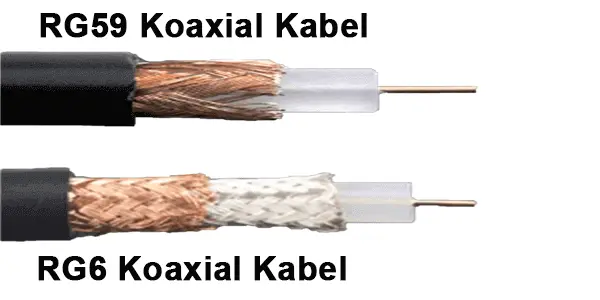
Analog cameras and analog HD cameras (CVI, SDI, AHD, TVI) typically use a coaxial cable (RG59 or RG6) for video and audio transmission, but they require an additional power supply from a socket in the immediate vicinity of the surveillance camera (see Figure 7).
There are two ways to supply power over a coaxial cable:
A. Use a so-called combi cable, where the coaxial cable is fitted with an additional two-core low-voltage power line (see Figure 8).

B. Use a PoC (Power over Coax) capable surveillance camera, which allows power to be supplied via the coaxial cable.
Important note! To operate a PoC surveillance camera, a PoC recorder is required.
Components required for video recording with a surveillance camera
There are several options for saving the video images from the surveillance camera:
A. Using a memory card inside the surveillance camera, for which a memory card is required. Note that not all surveillance cameras offer this option.
Important note! If the memory card is stolen from the surveillance camera during a break-in, all surveillance recordings and thus evidence are lost.
B. The video images generated by the surveillance camera can be stored on an NVR network video recorder or NAS (Network Attached Storage) if it is an IP camera or Wi-Fi camera.
An NVR is usually cheaper and more effective than a NAS and is therefore best suited for video surveillance.
For recordings from analog cameras or analog HD cameras (CVI, SDI, AHD, TVI), a multi-signal video recorder is required.
For all three recording options, additional HDD hard drives are usually required, so the devices must be fitted with drives as needed.
The requirement depends on the number of surveillance cameras, the resolution and the recording duration, based on which the storage capacity of the HDD is calculated.
For private video surveillance applications, a 2TB to 4TB hard drive is usually completely sufficient.
C. Surveillance images can also be stored in an internet cloud.
However, this type of storage involves costs and is therefore not recommended.
In addition, especially with budget camera providers, cloud services are usually located outside EU countries and therefore are not always secure in terms of data protection.
Do you have any questions? Give us a call. Our technicians will be happy to help you.


